The SimpleFit client app can be installed to your iPhone from the SimpleFit website in 3 steps. After being installed it will appear alongside your other apps.
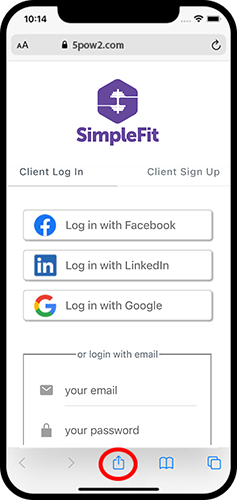
- First, visit the client app login, then press the 'Share' button.
- Select 'Add to Home Screen' from the popup.

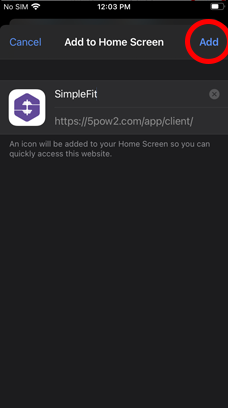
- Lastly, tap 'Add' in the top right corner to finish installing the app.