

When performing your workout program you have the ability to enter specific information about the strength exercises you complete (ex; weight used, repetitions completed).
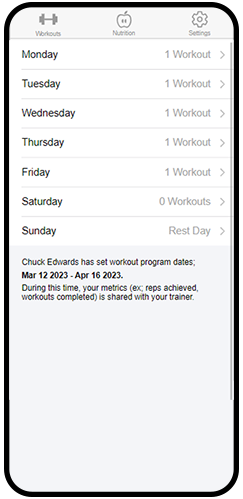
If your trainer has set program dates for your workout training, this information is shared with your trainer during your program.
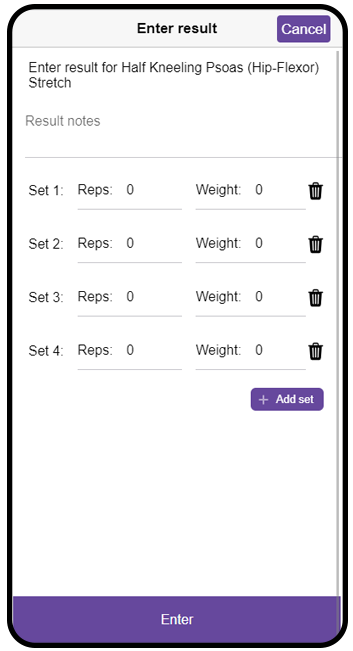
To enter this information, click on the 'Enter results' button next to the exercise you have completed. In the popup that shows enter the result for your exercise.
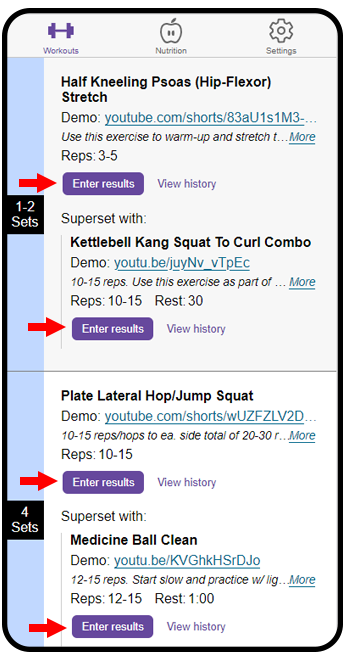
'View history' links will display for exercises you have already entered a result for.
Your recorded metrics history for workout movements can be found by clicking on Settings and choosing Metrics.
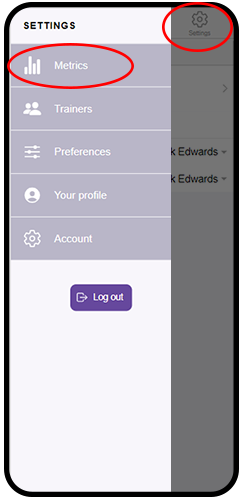
SimpleFit will list all movements you have entered results for. Click on an individual movement to view your metrics history for that movement.